
Mastering LibreOffice Writer
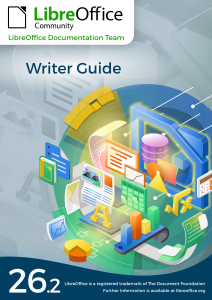
Your comprehensive guide to creating professional documents with LibreOffice Writer. From basic text formatting to advanced styles, templates, and mail merge, this guide covers everything you need to know.
Chapters
Preface
Introduction to the Writer Guide, its purpose, and how to use this manual effectively.
Read MoreChapter 1: Introducing Writer
Get started with LibreOffice Writer. Learn about its interface, features, and basic operations.
Read MoreChapter 2: Working with Text (Basics)
Master the fundamentals of text editing, including typing, selecting, and basic formatting.
Read MoreChapter 3: Working with Text (Advanced)
Advanced text manipulation techniques, such as find and replace, spell check, and more.
Read MoreChapter 4: Formatting Text
Learn how to format text using fonts, colors, alignment, and other styling options.
Read MoreChapter 5: Formatting Pages (Basics)
Set up page margins, orientation, size, and other basic page formatting options.
Read MoreChapter 6: Formatting Pages (Advanced)
Advanced page formatting, including headers, footers, columns, and more.
Read MoreChapter 7: Printing and Publishing
Prepare your documents for printing or digital publishing with these essential tips.
Read MoreChapter 8: Introduction to Styles
Understand the power of styles in Writer and how they can streamline your workflow.
Read MoreChapter 9: Working with Styles
Apply and customize styles for text, paragraphs, pages, and more.
Read MoreChapter 10: Working with Templates
Create, use, and manage templates to save time and ensure consistency.
Read MoreChapter 11: Images and Graphics
Insert and manipulate images, shapes, and other graphical elements in your documents.
Read MoreChapter 15: Tables of Contents, Indexes, Bibliographies
Create dynamic tables of contents, indexes, and bibliographies for your documents.
Read MoreChapter 16: Master Documents
Manage large documents by breaking them into smaller, linked sub-documents.
Read MoreChapter 17: Fields
Use fields to insert dynamic content like dates, page numbers, and more.
Read MoreChapter 19: Spreadsheets, Charts, Other Objects
Embed spreadsheets, charts, and other objects into your Writer documents.
Read MoreChapter 20: Customizing Writer
Tailor LibreOffice Writer to fit your workflow with custom settings and tools.
Read MoreChapter 21: User Interface Variants
Explore different UI options and customize the Writer interface to your liking.
Read MoreAppendix A: Keyboard Shortcuts
Quick reference for essential keyboard shortcuts in LibreOffice Writer.
Read More